If there is one universal truth about renting in 2025, it is that landlords still treat walls like museum artifacts. I have lost count of how many times I’ve read a lease agreement that strictly forbids “permanent alterations,” which is usually landlord-speak for “don’t even think about using a drill.” But living in an apartment complex—often with shared hallways, questionable main entry security, and maintenance staff who have keys to your unit—makes security a non-negotiable priority. You shouldn’t have to choose between your safety and your security deposit.
Finding the best security camera for renters requires a different mindset than shopping for a permanent home system. We don’t just need good video quality; we need agility. We need gear that mounts with adhesive, sits on a bookshelf, or clips to a curtain rod. We need Wi-Fi capability that can punch through concrete walls and batteries that last months because outlet placement in rental units is notoriously nonsensical.
In my experience testing smart home gear across five different apartments in three cities, the market has finally shifted in our favor. The era of clunky, wired CCTV systems is dead. Today, we have access to sleek, battery-powered apartment cameras that are powerful, portable, and, most importantly, temporary. In this comprehensive guide, I’m breaking down the top 5 security cameras that offer peace of mind without the property damage liability.
Quick Comparison: Top 5 Renter-Friendly Cameras
| Camera Model | Best For | Installation Type | Resolution | Subscription Required? |
| Ring Battery Doorbell | Front Door / Package Theft | Adhesive “No-Drill” Mount | 1440p HD | Yes (for recording) |
| Wyze Cam v4 | Budget Conscious | Magnetic / Window Mount | 2.5K QHD | Optional |
| Blink Indoor 4 | Set-It-And-Forget-It | Adhesive / Standalone | 1080p HD | Optional |
| Eufy Solo IndoorCam C24 | Privacy & Pet Owners | Shelf / Command Strip | 2K | No (Local Storage) |
| Arlo Essential Indoor | Smart Home Enthusiasts | Shelf / Wall Plate | 1080p HD | Yes (for best features) |
1. Ring Battery Doorbell (2025 Model) – The Front Door Defender
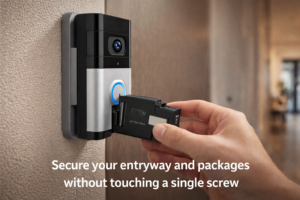
For most renters, the anxiety starts at the front door. Whether it is package pirates or just wanting to know if maintenance is actually knocking before entering, a video doorbell is essential. The Ring Battery Doorbell is the undisputed king of this category, specifically because of its ecosystem of renter-centric accessories. I’ve used this on everything from a heavy wooden townhouse door to a flimsy metal apartment door.
Why it’s perfect for renters
The magic here isn’t just the camera; it’s the No-Drill Mount. Ring sells a specific bracket that uses industrial-grade, water-resistant adhesive to stick to your door. In my experience, it holds rock solid through humidity and door slamming, but—and this is crucial—it can be removed with a hair dryer and a bit of patience when your lease is up. No holes, no lost deposit.
Key Specs
- Video Quality: 1440p HD with Head-to-Toe view (perfect for seeing packages on the floor).
- Power: Removable, rechargeable battery pack.
- Field of View: 150-degree horizontal / 150-degree vertical.
- Connectivity: 802.11 b/g/n Wi-Fi connection @ 2.4GHz.
Pros & Cons
- Pros: The “Head-to-Toe” view is a game-changer for spotting deliveries left on the mat. The app is incredibly user-friendly and integrates flawlessly with Alexa Echo Show devices.
- Cons: You really need the Ring Protect subscription to view past footage. Without it, you only get live view, which is useless if you miss the notification.
Who should avoid it
If your door faces a high-traffic public hallway, the motion sensor might drive you (and your neighbors) crazy. You will need to heavily adjust the “Motion Zones” in the app to focus only on your doormat.
2. Wyze Cam v4 – The “Do It All” Budget Hero
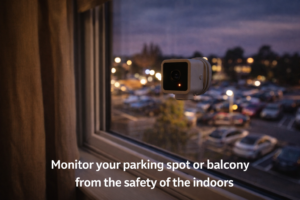
When you are paying city rent prices, you might not have hundreds left over for security. Enter the Wyze Cam v4. Do not let the price tag fool you; this little cube punches way above its weight class. I currently keep one of these aimed at my fire escape window, and the peace of mind it buys me for under $40 is incredible.
Why it’s perfect for renters
Versatility is the keyword here. The Wyze Cam v4 features a magnetic base, allowing you to attach it to a fridge, metal lamp, or corner bead without the need for adhesive. Furthermore, Wyze sells a “Window Mount” accessory that allows you to stick the camera flat against a window pane to monitor the outside from the inside. This is a loophole for renters who aren’t allowed to mount cameras on the building’s exterior.
Key Specs
- Video Quality: 2.5K QHD (sharper than most 1080p cameras).
- Night Vision: Color Night Vision, which is surprisingly bright.
- Storage: MicroSD Card slot (up to 256GB) for 24/7 continuous recording.
- Weather Rating: IP65 Indoor/Outdoor.
Pros & Cons
- Pros: Extremely affordable hardware and an optional subscription. The local SD card recording means you can capture everything 24/7 without paying monthly fees.
- Cons: It is wired. You will need to get creative with hiding the USB cable along baseboards or behind furniture.
Who should avoid it
If you absolutely cannot tolerate visible wires or don’t have an outlet near your desired mounting spot, this isn’t for you.
3. Blink Indoor 4 (Gen 4) – The Wireless Wonder
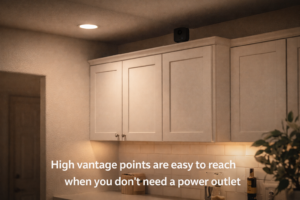
If you move apartments every year or two, you want a system that you can toss in a box and set up in five minutes at the new place. The Blink Indoor 4 is the definition of portable. It runs on two AA lithium batteries and communicates wirelessly with a small sync module. I’ve used these to monitor storage closets and awkward corners where running a power cable would be impossible.
Why it’s perfect for renters
It is incredibly lightweight. You don’t even need heavy-duty adhesive; a small poster strip or a bit of mounting putty is often enough to hold it up. Because it’s battery-powered, you can place it high up on top of kitchen cabinets or bookshelves to get a full room view without worrying about dangling cords.
Key Specs
- Battery Life: Up to 2 years on two AA lithium batteries.
- Video Quality: 1080p HD.
- Size: Compact enough to hide amidst home decor.
- Storage: Local storage via USB on the Sync Module 2 (sold separately) or Cloud.
Pros & Cons
- Pros: The battery life is legitimate. I went 18 months before changing mine. It’s also very discreet, making it less “intense” for guests than a larger camera.
- Cons: It does not record continuously. It only wakes up when it detects motion, records a clip, and goes back to sleep. There is a slight delay in wake-up time.
Who should avoid it
If you want to use your camera as a baby monitor or pet cam to watch a live stream for hours, this will drain the batteries in days. It is strictly for security events.
4. Eufy Solo IndoorCam C24 – The Privacy Protector
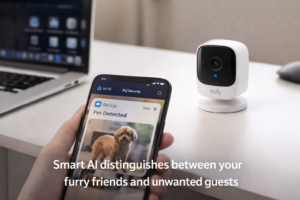
For many renters, the idea of a camera inside a small apartment feels invasive. What if it gets hacked? What if the landlord sees? The Eufy Solo IndoorCam C24 addresses this with robust local processing. Unlike other cameras that send everything to the cloud to be analyzed, the Eufy C24 processes “Is that a human or a cat?” right on the device.
Why it’s perfect for renters
Beyond the privacy aspect, the “Pet AI” is fantastic for apartment dwellers. It can distinguish between your dog jumping on the couch and an actual intruder. Plus, since it records to a MicroSD card, you avoid the “subscription fatigue” that plagues so many of us. You buy it, you own it, you view it.
Key Specs
- Video Quality: 2K resolution (very crisp).
- AI Features: On-device Human and Pet detection.
- Smart Home: Works with Apple HomeKit (a rarity at this price point), Google Assistant, and Alexa.
- Audio: Two-way audio to yell at your dog (or a burglar).
Pros & Cons
- Pros: No monthly fees. The video quality is arguably the best on this list for indoor lighting. The “Privacy Mode” physically rotates the lens or turns it off via geofencing when you arrive home.
- Cons: The app interface can be a little cluttered with ads for other Eufy products.
Who should avoid it
If you want a battery-powered option. This is a wired camera, so you are limited by your outlet locations.
5. Arlo Essential Indoor Camera (2nd Gen) – The Smart Home Choice
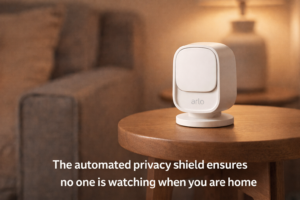
If you are the type of renter who has already swapped out all the lightbulbs for Philips Hue and has a smart lock on the door, the Arlo Essential Indoor fits right into that high-tech ecosystem. Arlo is known for premium hardware, and this unit feels more substantial and polished than the budget options.
Why it’s perfect for renters
The standout feature for renters here is the automated privacy shield. When you disarm the system (or when you are home), a physical white shutter closes over the lens. In a studio or one-bedroom apartment where the camera is always “in the room” with you, knowing visually that it cannot see you is a massive comfort factor.
Key Specs
- Video Quality: 1080p HD.
- Field of View: 130-degree viewing angle.
- Privacy: Automated mechanical privacy shield.
- Smart Features: Siren built-in (can be triggered remotely).
Pros & Cons
- Pros: The privacy shield is automated, unlike manual covers you might forget to close. It integrates beautifully with IFTTT and other smart home routines.
- Cons: Arlo is aggressive about pushing their “Arlo Secure” subscription. Without it, the camera is severely limited (no cloud storage, limited smart alerts).
Who should avoid it
Budget hunters. By the time you buy the camera and pay the monthly sub, it is one of the more expensive options to run long-term.
Buying Guide: Best Security Cameras for Renters | What Renters Need to Look For
When you don’t own the property, your priorities shift. Here is what to filter for when hunting for the best security camera for renters.
1. The “No-Drill” Factor
Always check the mounting mechanism.
- Magnetic Bases: The holy grail. Stick them to the fridge, the side of a microwave, or metal window frames.
- Standard 1/4″-20 Threads: This is the screw hole found on the bottom of cameras. If a camera has this, you can buy third-party clamps that attach to curtain rods or shelves without adhesive.
- Flat Bottoms: Essential for shelf placement. Some cameras are round or awkward and must be mounted. Avoid those.
2. Connectivity in Crowded Airwaves
Apartment buildings are Wi-Fi nightmares. You are competing with 50 other routers for signal space.
- Dual-Band is Better: Look for cameras that support 5GHz Wi-Fi. It has a shorter range but is much less congested than the 2.4GHz band used by every microwave and baby monitor in the building.
- Local Storage Backup: If your Wi-Fi drops (common in dense buildings), a camera with an SD card will keep recording. Cloud-only cameras will miss the action.
3. Audio Recording Laws
Be very careful with audio. In many states, you cannot record audio conversations without consent. While video is generally fine inside your home, a camera that picks up your neighbor’s conversation through a thin apartment door could legally be considered wiretapping. I always recommend disabling audio recording on any camera facing a public or shared space.
Installation Tips: The “Zero-Damage” Promise
Installing the best security camera for renters means getting creative. Here are three methods I swear by that have saved my security deposit every time.
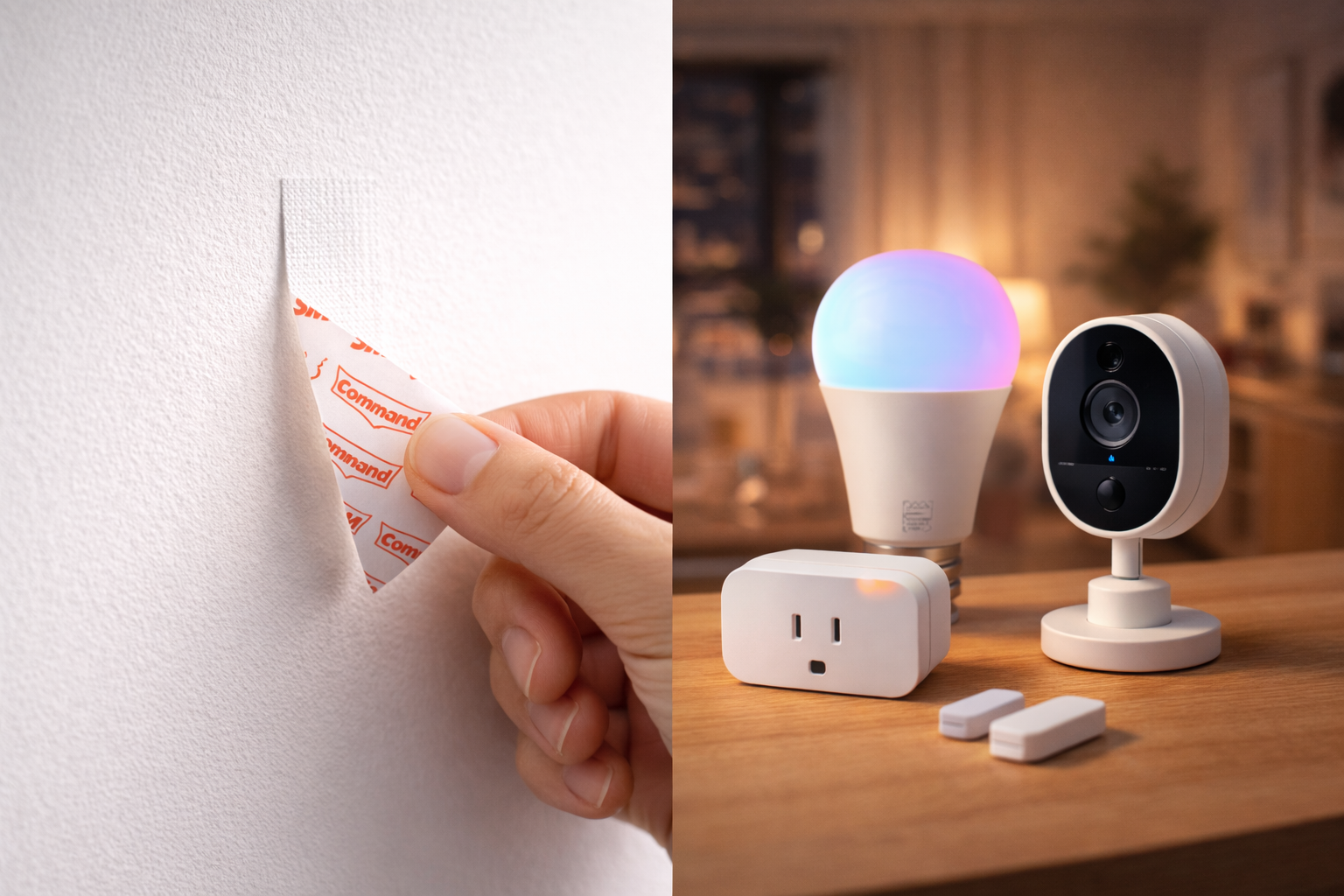
Method 1: The “Command Strip” Technique
For lightweight cameras like the Blink or Wyze:
- Prep: Wipe the wall area with isopropyl alcohol. This is non-negotiable; dust kills adhesive.
- Apply: Use 3M Command Refill Strips (Medium). Do not use the generic tape that comes in the box; it is often too strong and will rip drywall.
- Wait: Adhere the strip to the camera base first, then press it to the wall for 30 seconds. Wait 1 hour before attaching the actual camera unit to the base.
Method 2: The Tension Rod Trick
If you want a camera high up but can’t drill:
- Buy a cheap tension curtain rod.
- Install it inside a window frame or even vertically between a bookshelf and the ceiling.
- Use a clamp mount (like those used for GoPros) to attach your camera to the rod.
- You now have a rigid mounting point anywhere in the room without touching the walls.
Method 3: The Vinyl Siding Hook (For Balconies)
If you are lucky enough to have a balcony with vinyl siding:
- Purchase vinyl siding clips. These are small metal hooks that slip under the siding lip.
- They snap into place securely and can hold 5-10 lbs.
- Hang your outdoor-rated camera (like a Blink Outdoor) there. It leaves zero marks when removed.
[IMAGE PLACEMENT]
- Visual Prompt for AI: A split-screen image showing three installation methods: A Command strip being applied, a camera clamped to a tension rod, and a metal hook slid under vinyl siding.
- Filename: no-drill-security-camera-installation-methods.jpg
- Alt Text: Three no-drill installation methods for security cameras.
- Caption: Creative mounting solutions that leave your walls pristine.
FAQ: Best Security Cameras for Renters | Common Renter Questions
Q: Can my landlord legally forbid me from having cameras?
A: Generally, no, not inside your private dwelling. You have a right to “quiet enjoyment” and security. However, they can restrict cameras that view common areas (hallways, pools) or modify the exterior (drilling holes in siding). Always read your lease for specific “alteration” clauses.
Q: Will I lose my deposit if the adhesive peels the paint?
A: Technically, “normal wear and tear” is allowed, but a chunk of missing paint usually counts as damage. To avoid this, never pull a Command Strip out towards you. Pull it down slowly against the wall. If it’s stuck, use dental floss to saw behind the adhesive gently.
Q: Can maintenance staff disable my cameras?
A: They shouldn’t. If you catch maintenance covering or unplugging your cameras without cause, this is a major red flag. Keep the footage. It is your proof of improper entry or conduct.
Q: Do these cameras work if the power goes out?
A: Battery-powered ones (Ring, Blink) will stay on, but they need Wi-Fi to send alerts. If your router dies, they can’t call home. Cameras with local SD cards (Wyze, Eufy) will keep recording to the card even without Wi-Fi, provided they have battery or backup power.
Final Verdict
So, which is the best security camera for renters in 2025? It depends entirely on your specific pain point.
- For Total Front Door Security: The Ring Battery Doorbell is the gold standard. The ecosystem is vast, and the no-drill mount is reliable.
- For the “Smart Home” Power User: The Arlo Essential Indoor offers the best integration and privacy features, provided you don’t mind the subscription.
- For Maximum Value: The Wyze Cam v4 is impossible to beat on price-to-performance. If you can hide the wire, it’s the winner.
- For the “Frequent Mover”: The Blink Indoor 4 is the ultimate throw-in-your-bag-and-go device.
Living in a rental doesn’t mean you have to be vulnerable. With the right no-drill tech, you can lock down your apartment like a fortress and still get your full deposit back when it’s time to upgrade to a house.